


Page 68 - CSS
P. 68
<div>
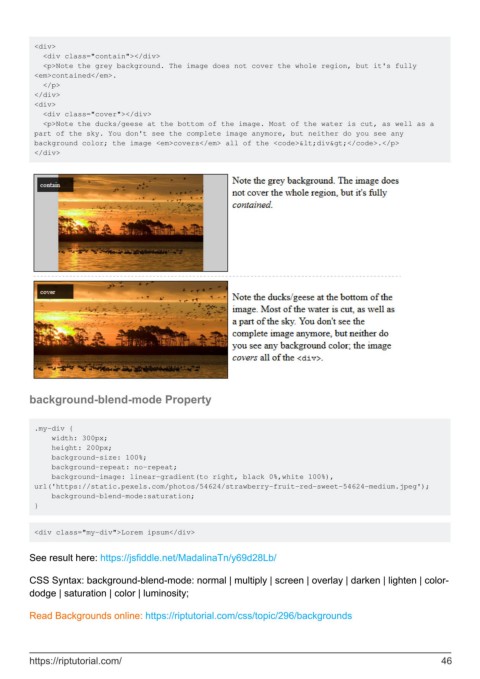
           <div class="contain"></div>
           <p>Note the grey background. The image does not cover the whole region, but it's fully
         <em>contained</em>.
           </p>
         </div>
         <div>
           <div class="cover"></div>
           <p>Note the ducks/geese at the bottom of the image. Most of the water is cut, as well as a
         part of the sky. You don't see the complete image anymore, but neither do you see any
         background color; the image <em>covers</em> all of the <code><div></code>.</p>
         </div>


        background-blend-mode Property


         .my-div {
             width: 300px;
             height: 200px;
             background-size: 100%;
             background-repeat: no-repeat;
             background-image: linear-gradient(to right, black 0%,white 100%),
         url('https://static.pexels.com/photos/54624/strawberry-fruit-red-sweet-54624-medium.jpeg');
             background-blend-mode:saturation;
         }


         <div class="my-div">Lorem ipsum</div>


        See result here: https://jsfiddle.net/MadalinaTn/y69d28Lb/

        CSS Syntax: background-blend-mode: normal | multiply | screen | overlay | darken | lighten | color-
        dodge | saturation | color | luminosity;


        Read Backgrounds online: https://riptutorial.com/css/topic/296/backgrounds


        https://riptutorial.com/                                                                               46

