


Page 75 - CSS
P. 75
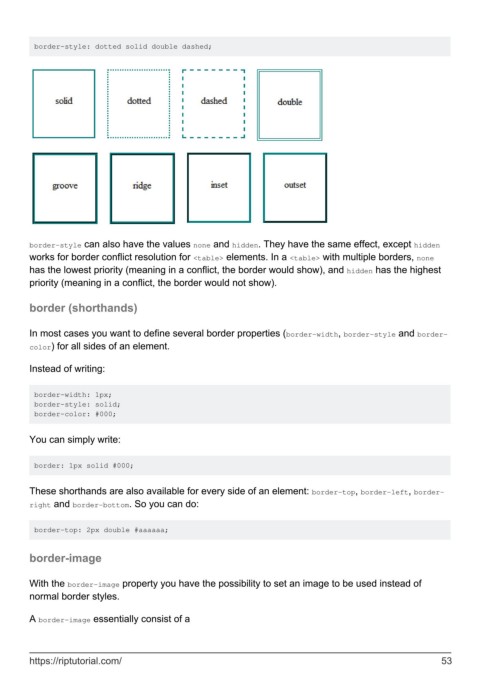
border-style: dotted solid double dashed;


        border-style can also have the values none and hidden. They have the same effect, except hidden
        works for border conflict resolution for <table> elements. In a <table> with multiple borders, none
        has the lowest priority (meaning in a conflict, the border would show), and hidden has the highest
        priority (meaning in a conflict, the border would not show).


        border (shorthands)


        In most cases you want to define several border properties (border-width, border-style and border-
        color) for all sides of an element.

        Instead of writing:


         border-width: 1px;
         border-style: solid;
         border-color: #000;


        You can simply write:


         border: 1px solid #000;


        These shorthands are also available for every side of an element: border-top, border-left, border-
        right and border-bottom. So you can do:


         border-top: 2px double #aaaaaa;


        border-image


        With the border-image property you have the possibility to set an image to be used instead of
        normal border styles.

        A border-image essentially consist of a


        https://riptutorial.com/                                                                               53

